

What’s New — 20 October to 3 November 2026
Here’s what we’ve shipped across Works25 over the past two weeks.
1. A Copilot That Asks Before It Acts (new)
Your AI assistant can now do real work in your account — but only after you approve the plan.
- Plan First — Ask for something that changes data and Copilot reads first, then proposes a numbered plan. Nothing is written until you say yes.
- Server-Locked Plans — The approved plan is held in your session, not in the browser. Later steps can use earlier results (address of the customer just created, total of the invoice just read).
- Permission Guard — Every step is checked against your module permissions, user level, account clearance, order-editing boundaries and branch scope before the plan is offered and again before each step runs. A blocked step tells you why instead of failing silently.
- 22 New Tools — Orders, price catalogue, accounting, inventory and administrative jobs, all behind the same guard.
- Say It Plainly — Confirm or cancel in normal language — “yes, go ahead”, “no, cancel” — no menus to learn.
- Skill Library — Opt-in playbooks per company: your own procedures matched to the question, injected only when relevant, so the assistant follows your way of working.
2. Instant Stock, Even on a Weak Line (new)
The All Items list can now run from a copy of your stock held on the device itself.
- Local Cache / Online Server — One switch on the inventory page. Local Cache searches, sorts, filters and pages instantly with no round trip; Online Server reads live.
- Delta Sync — A full sync first, then only changes. Opening a single item or picking it in a new order refreshes just that SKU.
- Self-Healing — A cold or stale cache detects itself and rebuilds, and new app versions load their own fresh scripts — no more hard refresh after an update.
- Edits Feel Immediate — Changes show on screen straight away and reconcile with the server in the background.
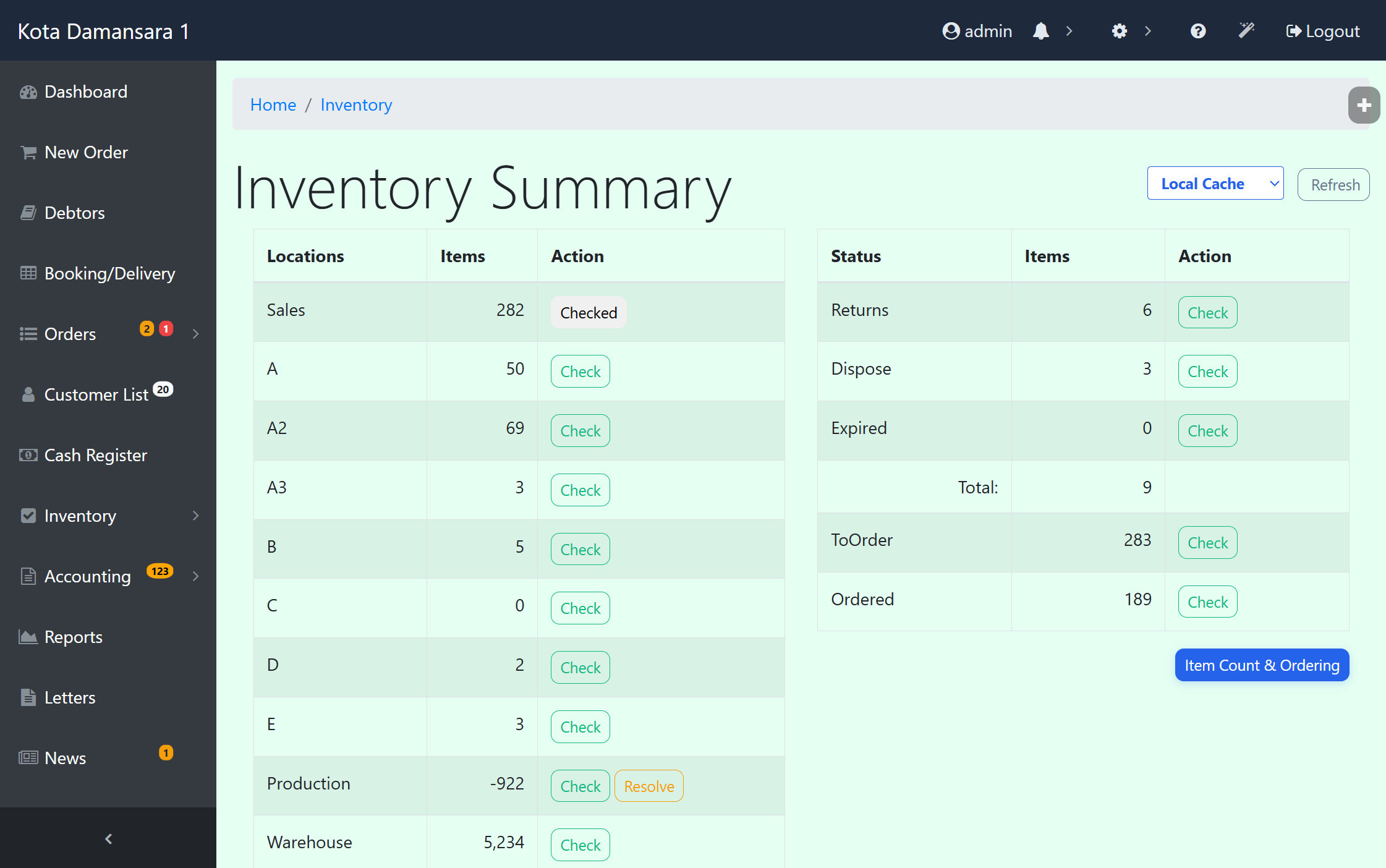
Inventory Summary — Instant client-side IndexedDB caching with Local Cache / Online Server toggle and background delta reconciliation.
3. WhatsApp AI Never Runs Out Quietly (new)
- Two Warning Lines — Under 500 AI points you get an email and a web notification; under 200 points auto-reply pauses and you get a second, louder alert.
- Banner in Chat Monitoring — The balance stays visible while you work the queue, so nobody discovers a paused assistant from an angry customer.
- Top Up From the Alert — One button takes you straight to buying points, and alerts are throttled per branch so an unrecharged balance doesn’t flood the inbox.
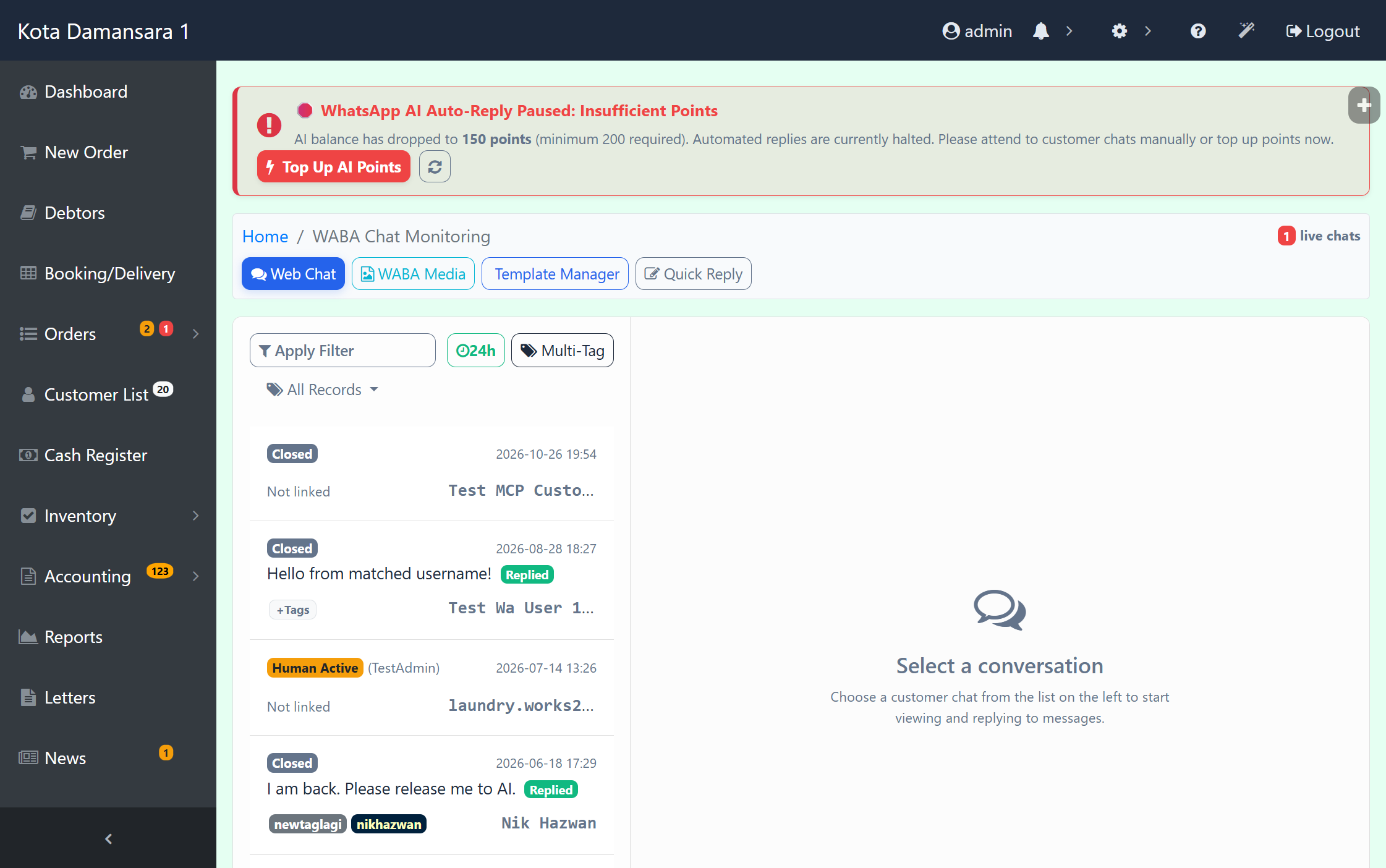
WABA Chat Monitoring — Real-time AI points monitor with warning and auto-reply pause banner and 1-click Top Up shortcut.
4. Overnight Shifts, Sorted (new)
- Shift Splits at Midnight — A clock-out before 08:00 with an evening shift still open from yesterday now caps yesterday at 23:59:59 and starts today at 00:00:00. Hours land on the right day and the right payroll period.
- Visible Splits — Split rows are highlighted in punch cards and flagged in the attendance data, so the hours can be audited at a glance.
- Clock-In Rules — Staff login gains a verification step and an extra IN3 / OUT3 slot, and clocking in again while an overnight shift is open is blocked.
- Cleaner Input Everywhere — A shared input sanitiser trims stray spaces, strips invisible zero-width characters, lowercases email addresses and blocks quote-replacement attacks across the whole app.
5. Honeypots, Passkeys and a Tighter Session (new)
- Zero-Database Honeypot — Requests for files that should not exist (WordPress, Laravel and other CMS paths) get an instant 403 and a structured log line. Plesk Fail2ban reads that line and bans the address at the firewall — without a single database query, so bot floods can’t slow the app.
- Passkeys Verified — WebAuthn assertions are now checked properly — challenge, signature and credential ID — challenges are single-use, and only a signed-in staff session can register a passkey.
- Passwords Hashed — Users created by AI tools, e-invoice profiles and customer signups are stored with password_hash instead of plain text.
- Request Variables Locked — A POST/REQUEST blacklist stops form keys from overwriting permission, user level, admin, branch or record-filter variables.
- Harder Logins — Session ID is regenerated on login, repeated failures are counted and locked out, and post-login redirects are sanitised. Legacy files, including a test mailer with hardcoded credentials, are gone.
6. Webhooks and API Docs for Integrators (new)
- API Reference Inside the MCP Server — List endpoints, read the documentation for one endpoint, or pull the whole Postman collection, straight from your AI tool of choice.
- Webhook Self-Service — Create, update, list and delete webhook configurations, read delivery logs and fire a live test event without asking us.
- Richer Events — order.edited now carries the full order and customer fields, and job.imageuploaded includes the item, so your integrations get what they actually need.
- Quotations in the Orders API — List, read, create, update, convert and delete quotations and bookings over the API. Conversion keeps inventory placeholders uncommitted, flips them to Sales as they are committed, and preserves deposits already taken.
- More Mutable Fields — Title, pickup date and time, runner, reference, promo code, tags and delivery — plus a search filter and title sort on the order list.
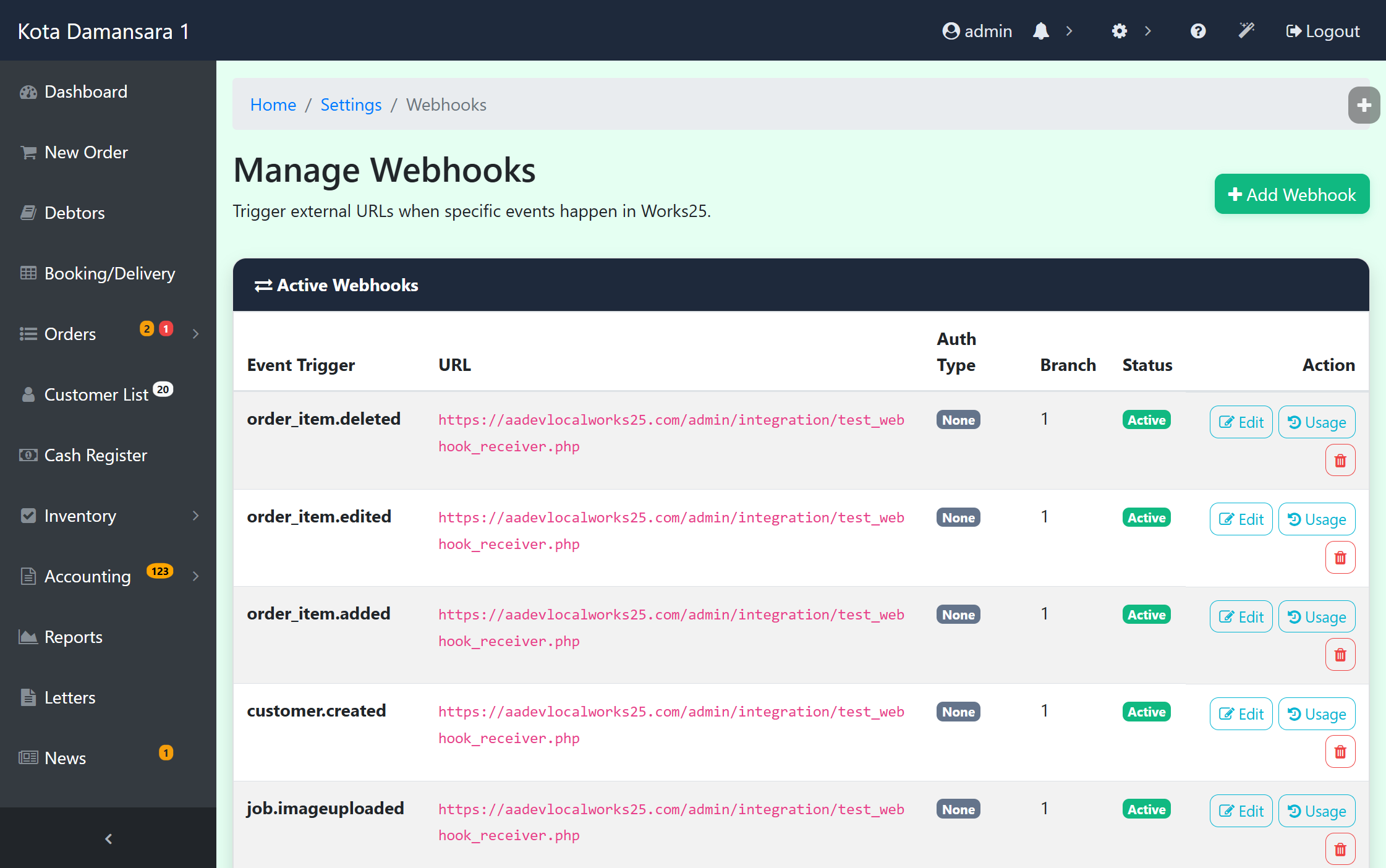
Webhook Management — Self-service subscription hub supporting order, customer, and production job triggers with live test execution.
7. Every Photo You’ve Ever Received (new)
- Other Sources Tab — The media uploader now browses WhatsApp media, order photos and item images in one place, with search, type filters, lazy-loaded paging and multi-select. Google Drive is still there as a sub-tab.
- Pick From the Record — Attach evidence, logos, proofs or item pictures without leaving the record you are editing.
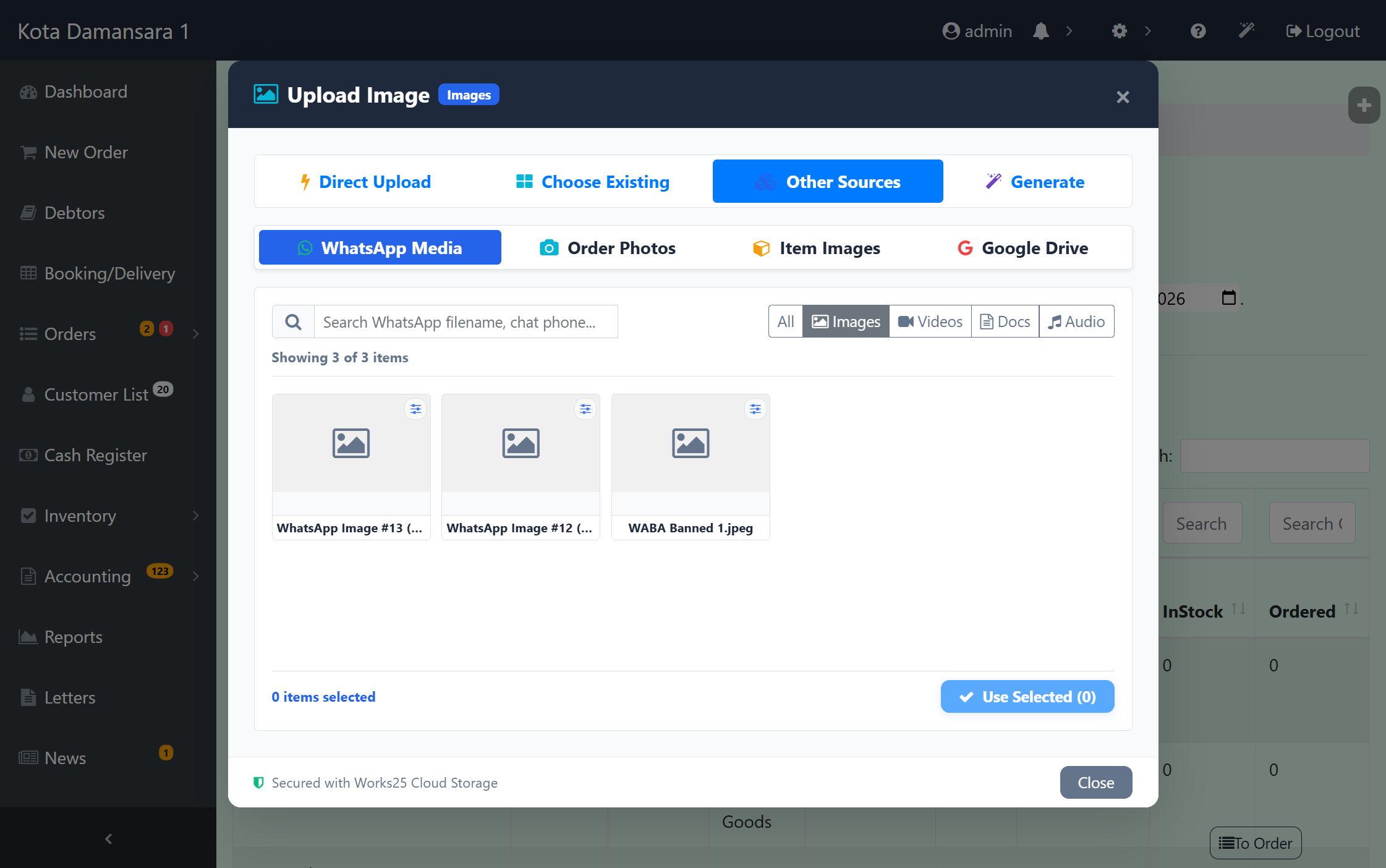
Works25 Media Uploader — Unified multi-source browser bringing WhatsApp attachments, job evidence, and catalog images into one picker.
8. A Storefront That Gets Found, Guides That Teach (new)
- Real Page SEO — Every public page gets its own title, description, canonical URL and social tags. Previously each layout wrote the site title over your page title.
- Per-Page Control — Set the SEO title and switch a page to noindex from the page editor, no theme file edits.
- Sitemap and Robots — A dynamic sitemap.xml and robots.txt at clean URLs, and the home page’s long /page/ address now 301s to the root.
- Procedural Guides — Help topics can carry prerequisites, the outcome and the permissions needed. Search indexes them, and Copilot answers with structured steps instead of a paragraph.
9. Faster Days, Fewer Surprises (improved)
- Session Locks Released — Order list and session checks no longer hold the PHP session lock, so concurrent tabs, AJAX calls and background polling stop queueing behind each other. The notification API error is fixed too.
- Logins Land Where They Should — Post-login redirects are normalised so a relative path can no longer 404, and the navbar brand updates correctly after a branch change without reload loops.
- Sales Orders Reconciled — Converting or duplicating a quotation keeps uncommitted goodmove placeholders in step with the branch and the active account, back-fills anything missing at checkout and leaves deposits intact.
- Permission Requests That Wait — Approved requests now stay valid for 24 hours instead of 30 minutes, and the 168-hour cap on temporary grants is gone.
- Media and Camera Polish — Bulk deletion across chat media, status images and the media manager, camera Page Up / Page Down resolved to the right job and group, and document logos fixed wherever they were built by hand.
Already on Works25? Most of these are live on your account now. Ask Copilot “what changed this month?” for the short version.